
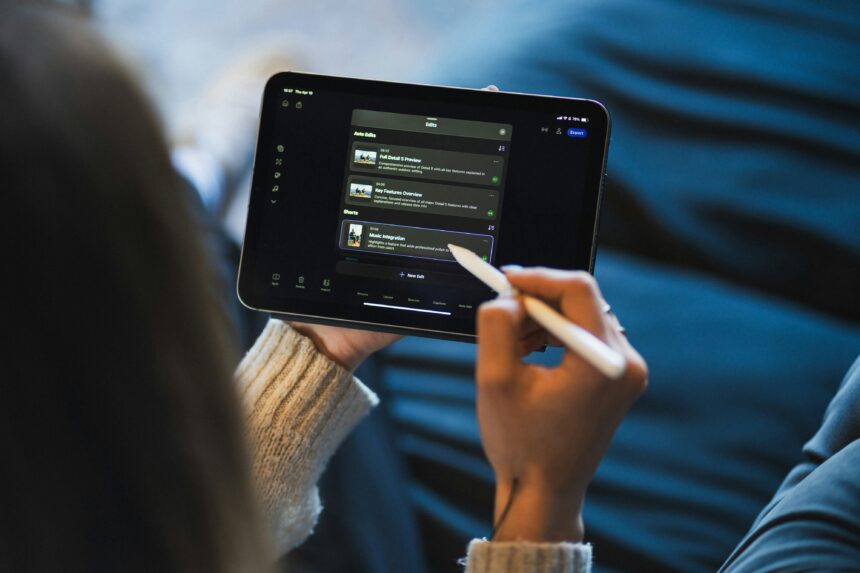
Navigating using free productivity applications for transforming your workflow in 2026.
- Context
- Originality
- Core Analysis
- 1: Todoist — The Gold Standard for Task Architecture
- 2: Notion — The All In One Operating System
- 3: Obsidian — The Privacy First Knowledge Graph
- 4: Reclaim.ai — The Intelligent Calendar Layer
- 5: Claude — The Superior Reasoning Assistant
- 6: Toggl Track — The Data Driven Mirror
- 7: Beeper — The Unified Communication Hub
- 8: Joplin — The Open Source Evernote Alternative
- 9: TickTick — The Habit and Focus Hybrid
- 10: Microsoft To Do — The Clean Ecosystem Master
- Practical Implications
- Risks and Counterpoints
- Forward Looking
- Key Takeaways
- Editorial Conclusion
- References
Introduction
The digital landscape of 2025 represents a significant departure from the simple to do list applications of the previous decade. We have moved past the era where a productivity tool was merely a static container for text or checkboxes. Today: a “productivity app” is often a sophisticated engine driven by narrow artificial intelligence, designed to handle the cognitive load of scheduling, synthesizing, and organizing.
The primary challenge for the modern professional or student is no longer finding a tool: it is managing the fragmentation of the digital self across too many platforms. This article examines ten free applications that do more than just store data. These tools actively transform workflows by automating the “work about work,” allowing users to reclaim their focus for high value deep work. We will explore how these specific platforms leverage current technological trends to solve the chronic problem of information overabundance without requiring a monthly subscription fee.
Context
In 2025, the “productivity tax” is a very real phenomenon. This refers to the time lost switching between disparate apps for messaging, task management, and documentation. Research indicates that the average knowledge worker toggles between different applications nearly 1,200 times per day. The tools selected for this analysis are chosen specifically for their ability to mitigate this context switching.
Furthermore: the definition of “free” has shifted. Most modern applications operate on a freemium model where the core utility is accessible at no cost, while advanced “agentic” features or massive cloud storage require payment. However: for the vast majority of users, the free tiers of the following apps provide more than enough leverage to overhaul a stagnant workflow. We are also seeing a resurgence in “local first” software, where data resides on the user’s machine rather than a distant server: a trend driven by both privacy concerns and the need for offline speed.
Originality
Most productivity lists focus purely on features. This analysis takes a consultant’s perspective: examining the trade offs and the hidden logic of each tool’s architecture. We will look at why certain apps favor “bottom up” organization while others impose a “top down” structure.
A unique observation for 2025 is the “AI saturation point.” Many apps have added AI features that actually slow down the user by introducing unnecessary clicks. Our selection prioritizes “invisible AI”—tools where the technology works in the background to simplify the interface rather than cluttering it with chatbots. We also highlight the importance of “interoperability,” or how well these apps talk to each other, which is the secret sauce of a truly frictionless ecosystem.
Core Analysis
1: Todoist — The Gold Standard for Task Architecture
Todoist remains the most resilient task manager in the market because of its “Natural Language Input” engine. In 2025: this feature has matured to the point where a user can type “Review marketing brief every Tuesday at 2pm starting next week” and the app perfectly parses every variable without further input.
- The Workflow Transformation: It shifts the user from “managing lists” to “managing time.” By utilizing the “Board View” (Kanban) alongside the traditional list view, it allows for a visual flow of projects.
- Who It Is For: High volume professionals who need to clear their heads of “open loops” immediately.
- The Trade Off: The free version limits the number of active projects and reminders. Users must be disciplined about archiving completed work to stay within the free tier constraints.
2: Notion — The All In One Operating System
Notion has evolved from a simple note taker into a relational database powerhouse. Its greatest strength in 2025 is the “Linked Database” feature, which allows the same set of information to appear in different formats across the entire workspace.
- The Workflow Transformation: Notion eliminates the need for separate apps for notes: wikis: and project trackers. It serves as a “Second Brain” where a single piece of data (like a meeting note) can be linked to a project, a person, and a specific deadline simultaneously.
- Who It Is For: Students and small teams who want to build a custom dashboard tailored to their specific mental model.
- The Trade Off: The “flexibility trap.” It is easy to spend more time “building” the system than actually “doing” the work.
3: Obsidian — The Privacy First Knowledge Graph
Unlike Notion: Obsidian is local first. Your files are Markdown documents sitting on your hard drive. It uses “Bi-directional Linking” to create a web of thoughts rather than a hierarchy of folders.
- The Workflow Transformation: It mimics how the human brain works—through association. By seeing a visual “Graph View” of how your notes connect: you discover insights and patterns that are invisible in traditional folder structures.
- Who It Is For: Researchers: writers: and developers who value data sovereignty and long term knowledge retention.
- The Trade Off: It has a steeper learning curve. You must be comfortable with basic Markdown and managing your own file backups.
4: Reclaim.ai — The Intelligent Calendar Layer
Scheduling is the most significant source of friction in modern work. Reclaim.ai sits on top of Google Calendar and uses AI to “auto block” time for your tasks and habits based on your priorities.
- The Workflow Transformation: It ends the “calendar vs. to do list” war. If a meeting is scheduled over your planned “Deep Work” block: Reclaim automatically shifts that block to the next available slot.
- Who It Is For: Managers and freelancers whose schedules are constantly changing.
- The Trade Off: It requires deep integration with your primary calendar: which might raise privacy concerns for some corporate users.
5: Claude — The Superior Reasoning Assistant
While many use ChatGPT: Claude (by Anthropic) has emerged in 2025 as the preferred free tool for high level synthesis and coding assistance. Its “Artifacts” UI allows users to view and edit code: documents: and diagrams side by side with the chat.
- The Workflow Transformation: It acts as a “thought partner.” Use it to summarize 50 page PDFs or to draft complex email sequences. The free tier offers access to their most capable models with daily usage limits.
- Who It Is For: Knowledge workers who need help with drafting: summarizing: or technical problem solving.
- The Trade Off: The “message limit” can be frustrating for power users: requiring careful timing of complex queries.
6: Toggl Track — The Data Driven Mirror
You cannot optimize what you do not measure. Toggl Track is a one button time tracker that provides detailed reports on where your hours actually go.
- The Workflow Transformation: It provides the “cold hard truth.” Most people overestimate their productive hours by 30 percent. Toggl forces a reality check: allowing for more accurate project estimation and better work life boundaries.
- Who It Is For: Freelancers and those struggling with time blindness.
- The Trade Off: It requires the “habit of tracking.” If you forget to start or stop the timer: the data becomes useless.
7: Beeper — The Unified Communication Hub
Communication bloat is the primary productivity killer of 2025. Beeper connects to Slack: WhatsApp: LinkedIn: and Discord: bringing every message into a single: searchable inbox.
- The Workflow Transformation: It stops the “notification hunt.” Instead of checking five different apps: you have one stream. You can “snooze” messages or mark them as “low priority” regardless of the original platform.
- Who It Is For: Anyone overwhelmed by “inbox fragmentation.”
- The Trade Off: It acts as a bridge: so if the underlying service (like WhatsApp) changes its API: the bridge can occasionally break.
8: Joplin — The Open Source Evernote Alternative
For those who want a powerful: free: and open source note taking app that supports end to end encryption: Joplin is the answer.
- The Workflow Transformation: It allows for seamless syncing across mobile and desktop without the restrictive device limits found in Evernote’s free tier. It supports web clipping and “to do” lists within your notes.
- Who It Is For: Privacy conscious users who want a “forever” home for their digital archives.
- The Trade Off: The interface is functional but lacks the “polish” and aesthetic appeal of modern apps like Notion or Bear.
9: TickTick — The Habit and Focus Hybrid
TickTick combines a task manager with a Pomodoro timer and a habit tracker. It is the “Swiss Army Knife” of personal discipline.
- The Workflow Transformation: It integrates “Focus Time” directly into the task. You can start a timer on a specific task: and the app will track your “Focus Score” over time.
- Who It Is For: Students and solo entrepreneurs who need external structure to stay on task.
- The Trade Off: The best views (like the full Calendar View) are locked behind a premium subscription.
10: Microsoft To Do — The Clean Ecosystem Master
Born from the acquisition of Wunderlist: Microsoft To Do is the best option for those already in the Windows or Office 365 world. It is completely free with no “premium” upsells for core features.
- The Workflow Transformation: The “My Day” feature resets every morning: forcing you to consciously choose what you will accomplish today rather than looking at a daunting: never ending list.
- Who It Is For: Corporate workers and minimalists who want a simple: reliable list that syncs with Outlook.
- The Trade Off: It lacks advanced features like subtask dependencies or rich database views.
Practical Implications
Implementing these tools is not about installing all ten: it is about selecting the right “stack” for your specific cognitive style.
A “Minimalist Stack” might consist of Microsoft To Do (tasks) and Claude (analysis).
A “Power User Stack” would likely involve Obsidian (knowledge): Todoist (execution): and Reclaim.ai (scheduling).
The most successful implementation strategy involves the “One App at a Time” rule. Introducing multiple new tools simultaneously creates a “learning debt” that often leads to burnout. Spend two weeks mastering the Natural Language Input of Todoist before attempting to build a complex database in Notion. This incremental approach ensures that the tool serves the workflow rather than becoming another task to manage.
Risks and Counterpoints
The “Productivity Trap” is a significant risk when exploring free apps. Users often fall into “Productivity Porn”: the act of constantly switching apps or redesigning dashboards to feel a sense of progress without actually producing work.
There is also the “Data Silo” risk. When using free tiers across multiple vendors: your data is scattered. If one company pivots its business model or shuts down: you may face a difficult migration process. Furthermore: free tools often monetize through data analysis or by pushing you toward paid features. Always read the privacy policy to understand if your “Second Brain” is being used to train a commercial AI model without your explicit consent.
Forward Looking
Looking toward the end of 2025 and into 2026: we expect the “App” model to fade in favor of the “Agent” model. Instead of you going into Notion to update a status: an AI agent will monitor your Slack conversations and update the Notion database for you.
The tools on this list that will survive are those with strong APIs (Application Programming Interfaces). Interoperability will become the primary metric of value. We also anticipate a move toward “Unified Workspaces” where the boundaries between a browser: a document: and a chat window become completely blurred. The future of productivity is not “more apps”: it is “fewer interfaces.”
Key Takeaways
| App | Category | Best Feature | 2025 Workflow Impact |
| Todoist | Tasks | Natural Language Input | Faster task capture and lower cognitive load |
| Notion | Workspace | Relational Databases | Consolidates scattered docs and trackers |
| Obsidian | PKM | Bi-directional Linking | Creates a “Second Brain” through associations |
| Reclaim.ai | Calendar | AI Time Blocking | Ends the conflict between lists and schedules |
| Claude | AI | Artifacts UI | High speed synthesis of complex data |
| Toggl Track | Analytics | One Click Tracking | Provides objective data on time allocation |
| Beeper | Chat | Unified Inbox | Eliminates the stress of multiple chat apps |
| Joplin | Notes | Open Source/E2EE | Long term: private: and encrypted storage |
| TickTick | Focus | Pomodoro Integration | Combines planning with active focus sessions |
| MS To Do | List | “My Day” Logic | Simplifies the daily planning process |
Editorial Conclusion
In 2025: productivity is no longer about doing “more”: it is about filtering “more.” The tools we have discussed are designed to act as filters: clearing away the noise of digital life so that your actual work can surface. The most “productive” person is not the one with the most apps: but the one who has built a system so reliable they can afford to forget about it.
The true power of these free applications lies in their ability to democratize high level organizational strategy. Whether you are a student on a budget or a CEO of a startup: these tools provide the infrastructure needed to compete in an AI driven economy. Choose your stack wisely: keep it simple: and remember that the tool is only as effective as the discipline of the user. strategy. The future belongs to those who can effectively “delegate” the repetitive to the machine, and there is no better place to start than by building your first custom assistant today.
References
- Drucker: P. F. (2025 update). The Effective Executive in the Age of AI.
- Ahrens: S. (2022). How to Take Smart Notes (Zettelkasten Method for Obsidian).
- Newport: C. (2024). Digital Minimalism: Choosing a Focused Life in a Noisy World.
- Official Documentation: Todoist: Notion: and Anthropic (Claude) API Specs 2025.