


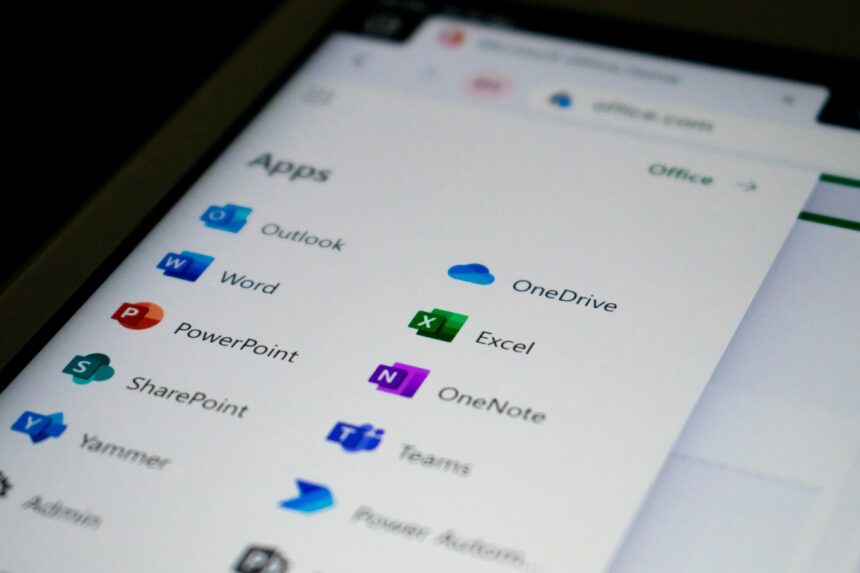
Navigating the strategic divide between desktop power: cloud native agility: and open source sovereignty in a modern business environment.
- INTRODUCTION
- CONTEXT AND BACKGROUND
- WHAT MOST COMPARISONS MISS
- CORE ANALYSIS: FEATURE BY FEATURE BREAKDOWN
- 1. Collaboration and Synchronicity
- 2. Power and Depth (The “Excel” Factor)
- 3. Pricing and Value (2025 Metrics)
- PRACTICAL IMPLICATIONS
- MIGRATION CONSIDERATIONS
- FORWARD LOOKING PERSPECTIVE
- KEY TAKEAWAYS
- EDITORIAL CONCLUSION
- REFERENCES AND SOURCES
INTRODUCTION
In 2026: the choice of a productivity suite is no longer a simple matter of selecting a word processor or a spreadsheet tool. It has become a foundational decision that dictates how an organization communicates: stores data: and integrates artificial intelligence into its daily operations. We are currently witnessing a three way split in the market: the “Desktop Power” represented by Microsoft 365: the “Cloud Agility” of Google Workspace: and the “Digital Sovereignty” offered by LibreOffice.
The stakes for this decision are high. Choosing the wrong ecosystem can lead to “Subscription Fatigue:” data silos: or significant collaboration friction between remote teams. This article provides a comprehensive: technical: and strategic breakdown of these three giants. We will move beyond surface level feature lists to examine the underlying philosophies of each platform. Whether you are a small business owner looking to optimize costs or an IT director managing a complex migration: this guide offers the clarity needed to choose a suite that aligns with your long term goals. By the end of this analysis: you will understand not just what these tools do: but which one fits the specific “cognitive style” of your workforce.
CONTEXT AND BACKGROUND
Historically: the productivity suite was dominated by the “Physical Media” model. You bought a box: installed the software: and your files lived on a single hard drive. Microsoft Office was the undisputed king of this era: setting the global standards for file formats like .docx and .xlsx. The first major disruption came in 2006 with the launch of Google Docs: which introduced the “Cloud Native” paradigm. This shift moved the “Source of Truth” from the local machine to the browser: enabling real time collaboration for the first time.
By 2026: the landscape has shifted again. Microsoft successfully transitioned to a hybrid “Software as a Service” (SaaS) model with Microsoft 365: blending its legendary desktop power with robust cloud synchronization. Meanwhile: LibreOffice has emerged as the premier “Open Source” alternative: a successor to OpenOffice that prioritizes user privacy and free access.
The current environment is defined by three major trends:
- AI Integration: The arrival of Microsoft Copilot and Google Gemini has turned office suites into “Cognitive Engines” that can draft: summarize: and analyze data autonomously.
- Subscription Resistance: After years of rising monthly fees: many organizations are exploring LibreOffice to reclaim control over their software budgets.
- Hybrid Work: The need for seamless transitions between a home office browser and a high powered desktop workstation has become a non negotiable requirement for most professionals.
WHAT MOST COMPARISONS MISS
Most comparisons fail to address the “Legacy Complexity” of Microsoft Excel or the “Version Control Chaos” that often plagues Google Workspace. A common oversight is the assumption that Google Workspace is always cheaper. In reality: once a business requires advanced security and higher storage tiers: the price gap between Google and Microsoft often vanishes or even reverses.
Another ignored detail is the “Formatting Fidelity” problem. While LibreOffice is more compatible with Microsoft formats than ever before: it is still not a 1:1 clone. A complex legal document with nested tables and specific font tracking created in Word may still shift slightly when opened in LibreOffice.
Furthermore: many guides ignore the “Admin Burden.” Managing a Microsoft 365 tenant requires a high level of technical expertise: often necessitating a dedicated IT person. In contrast: Google Workspace is designed for “Lean IT” where a non technical founder can manage fifty users with relative ease. Finally: the “Offline Reality” is often misrepresented. While Google offers an offline mode: it is a fragile secondary feature compared to the native: robust offline performance of Microsoft Office or LibreOffice. We will dive into these nuances to provide a more realistic picture of the daily user experience.
CORE ANALYSIS: FEATURE BY FEATURE BREAKDOWN
1. Collaboration and Synchronicity
The philosophy of collaboration varies wildly across these three platforms.
- Google Workspace: This is the undisputed leader in “Frictionless Collaboration.” Because it was born in the browser: it handles multiple simultaneous editors with zero lag. The “Comments” and “Suggestions” features are intuitive and foster an agile: conversational work style.
- Microsoft 365: While Microsoft has caught up significantly: its collaboration still feels “Document Centric” rather than “Cloud Native.” Co-authoring works well: but the experience is often smoother on the web versions of the apps than the desktop ones. Microsoft excels in “Synchronous Communication” via Teams: which is more integrated than the Google Meet/Chat ecosystem.
- LibreOffice: Collaboration is the primary weakness here. LibreOffice is designed for the “Single Author” workflow. While you can use third party services like Nextcloud to share files: it lacks the native: real time multi user editing that defines its competitors.
2. Power and Depth (The “Excel” Factor)
For high level data analysis and complex document design: the desktop remains king.
- Microsoft Office: Excel is still the gold standard for financial modeling and data science. Its ability to handle millions of rows: complex macros (VBA): and Power Pivot is unmatched. Word also offers superior “Long Document” management for books or technical manuals.
- LibreOffice: Often surprises power users with its depth. Its “Calc” application is highly capable and supports many advanced functions. For academic writing: its “Master Document” feature and superior “Formula Editor” make it a favorite for researchers who don’t want to use LaTeX.
- Google Workspace: Sheets has improved: but it still struggles with very large datasets. It is best for “Collaborative Data Entry” and simple visualizations rather than heavy duty engineering or financial audits.
3. Pricing and Value (2025 Metrics)
| Feature | Microsoft 365 (Business) | Google Workspace | LibreOffice |
| Entry Price | ~$6.00 / user / month | ~$6.00 / user / month | $0.00 (Free) |
| Standard Storage | 1 TB per user | 30 GB to 2 TB (Pooled) | Local / User Defined |
| Desktop Apps | Included in Standard/Premium | N/A (Web Only) | Full Native Suite |
| AI Cost | $20 to $30 (Copilot Add-on) | Bundled or $20 (Gemini) | N/A (Community Plugins) |
PRACTICAL IMPLICATIONS
For Small Businesses (SMBs):
Google Workspace is often the “Default Choice” for startups because of its ease of setup. It allows a lean team to stay organized without an IT department. However: if the business deals with large video files or high resolution design: the 1 TB of storage provided by Microsoft’s entry tier represents a much better value than Google’s restrictive 30 GB “Starter” tier.
For Enterprise and Regulated Industries:
Microsoft 365 is the “Required Choice” for industries like healthcare or finance. Its “Purview” compliance tools: granular permissions: and integration with “Active Directory” provide the level of control that auditors demand. The ability to lock down documents so they cannot be printed or shared outside the organization is a native feature that is much harder to replicate in a cloud first environment.
For Individuals and Privacy Advocates:
LibreOffice is the “Sovereign Choice.” For a writer or a student: it provides a professional grade suite without the “Digital Leash” of a subscription. Your files stay on your machine: and your data is never used to train a commercial AI model. It is the perfect choice for those who want to “own” their tools rather than “rent” them.
MIGRATION CONSIDERATIONS
Moving between these suites is a significant project that requires careful planning.
- Google to Microsoft: This is the most common path as companies scale. The primary challenge is “Data Mapping.” Google’s “Labels” do not exist in the folder centric world of Outlook. You will need a tool like the “Microsoft 365 Migration Manager” to ensure email and Drive files transfer correctly.
- Microsoft to LibreOffice: This is usually driven by cost cutting. The main hurdle is “User Training.” While the buttons look similar: the “Styles” system in LibreOffice is more rigorous than in Word. Users must be taught how to use the “Navigator” and “Style Sidebar” to avoid formatting disasters.
- Cloud to Local: When migrating from a cloud suite to LibreOffice: you must solve the “Cloud Storage” gap. This typically involves setting up a personal cloud like Dropbox or a private server like Nextcloud to ensure files are still accessible across devices.
FORWARD LOOKING PERSPECTIVE
By 2026: we expect the “Suite” concept to further dissolve into “Agentic Workspaces.” Microsoft is already moving toward a future where you don’t “open Word”: you simply tell Copilot to “Write a project proposal based on last week’s emails.”
Google is likely to double down on “Contextual Intelligence” within Gmail: making the inbox the primary interface for all work. We also anticipate a “Standardization War” where Microsoft may attempt to introduce new: AI specific metadata into its file formats: potentially making it harder for open source tools like LibreOffice to maintain compatibility. The future will be a battle between “Integration” (Microsoft): “Simplicity” (Google): and “Independence” (LibreOffice).
KEY TAKEAWAYS
- Choose Microsoft 365 if you need high powered desktop apps (Excel): massive storage (1 TB): and enterprise grade security.
- Choose Google Workspace if your team is remote: relies on real time collaboration: and prefers a clean: browser based interface.
- Choose LibreOffice if you want to eliminate subscription costs: prioritize data privacy: and prefer a traditional: offline workflow.
- The “Hidden Cost” of Microsoft is IT complexity: while the “Hidden Cost” of Google is the rapid price scaling of storage tiers.
- AI is the new frontier: Both Google and Microsoft are using AI to lock users into their respective ecosystems.
EDITORIAL CONCLUSION
The “Best” productivity suite does not exist in a vacuum: it only exists in relation to your specific needs. The dominance of Microsoft Office is being challenged not by a better word processor: but by a better way of working. Google has won the hearts of the “Cloud Native” generation: while LibreOffice continues to serve as the vital: free guardian of digital standards.
For most: the hybrid power of Microsoft 365 offers the most complete package: but it comes at the price of complexity and a “forever” subscription. As you decide: consider where you want your “Source of Truth” to live. If it is on your hard drive: go with LibreOffice. If it is in a live: shared document: go with Google. If it is in a massive: interconnected corporate ecosystem: Microsoft is your destination.
REFERENCES AND SOURCES
- Microsoft 365 vs Google Workspace 2025 Comparison — Style Factory Productions
- Google Workspace vs Microsoft 365: Full Comparison — TVG Consulting
- LibreOffice Official Site — The Free and Private Office Suite
- Google Docs vs LibreOffice in 2025 — GeeksforGeeks Analysis
- Choosing the Right Productivity Suite for SMBs — Kartaca Guide